Back返回

Petal

Feed Your Curiosity喂饱你的好奇心

“Feed your curiosity.” Petal folds news, dining, travel and shopping into one personalised home. I designed the experience end to end — from onboarding to checkout — so four worlds read as one product.“Feed your curiosity.”(喂饱你的好奇心。)Petal 把资讯、美食、旅行与购物折叠进一个个性化首页。我端到端负责体验设计——从开机引导到下单结账,让四个世界读起来像一个产品。

Role角色
UI/UX DesignerUI/UX 设计师
Scope范围
Research → Flows → UI → Prototype调研 → 流程 → 界面 → 原型
Market市场
Southeast Asia东南亚
Platform平台
iOS · Mobile AppiOS · 移动端
Stack工具
Figma · Illustrator
4Verticals业务板块
21Key Screens核心界面
1Search & Nav System搜索与导航系统
Day 1Personalised Feed首日个性化
The Challenge设计挑战

Five apps' worth of features, one calm home.五个 App 的功能,一个安静的首页。

A super-app lives or dies by restraint. News, food ordering, travel booking, shopping and search each pull the interface in their own direction — the risk is a home screen that shouts louder than any single-purpose app.超级应用的成败在于克制。资讯、点餐、订行程、购物、搜索,每个板块都在把界面往自己的方向拉——稍有不慎,首页就会比任何单一功能的 App 更嘈杂。

The answer: one search bar, one card grammar, one gradient. A single blue-to-aqua identity carries every vertical; content lives in rounded white cards on soft grey, so density never turns into noise.解法是:一条搜索框、一套卡片语法、一种渐变。蓝到青的单一品牌渐变贯穿所有板块;内容一律放进浅灰底上的白色圆角卡片,信息再密也不显吵。

Onboarding引导

Four slides to say one thing: everything, in one place.四页引导只讲一件事:一切,尽在一处。

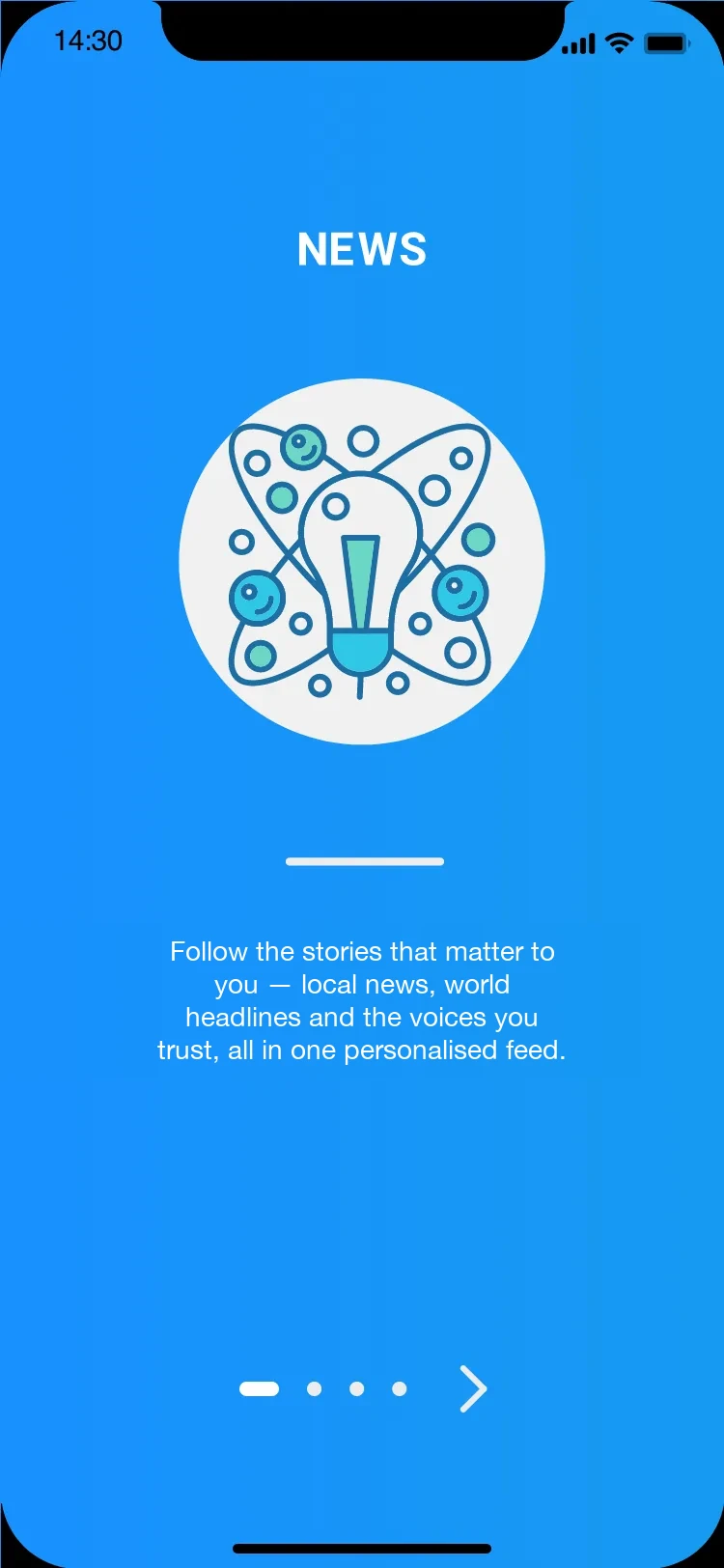
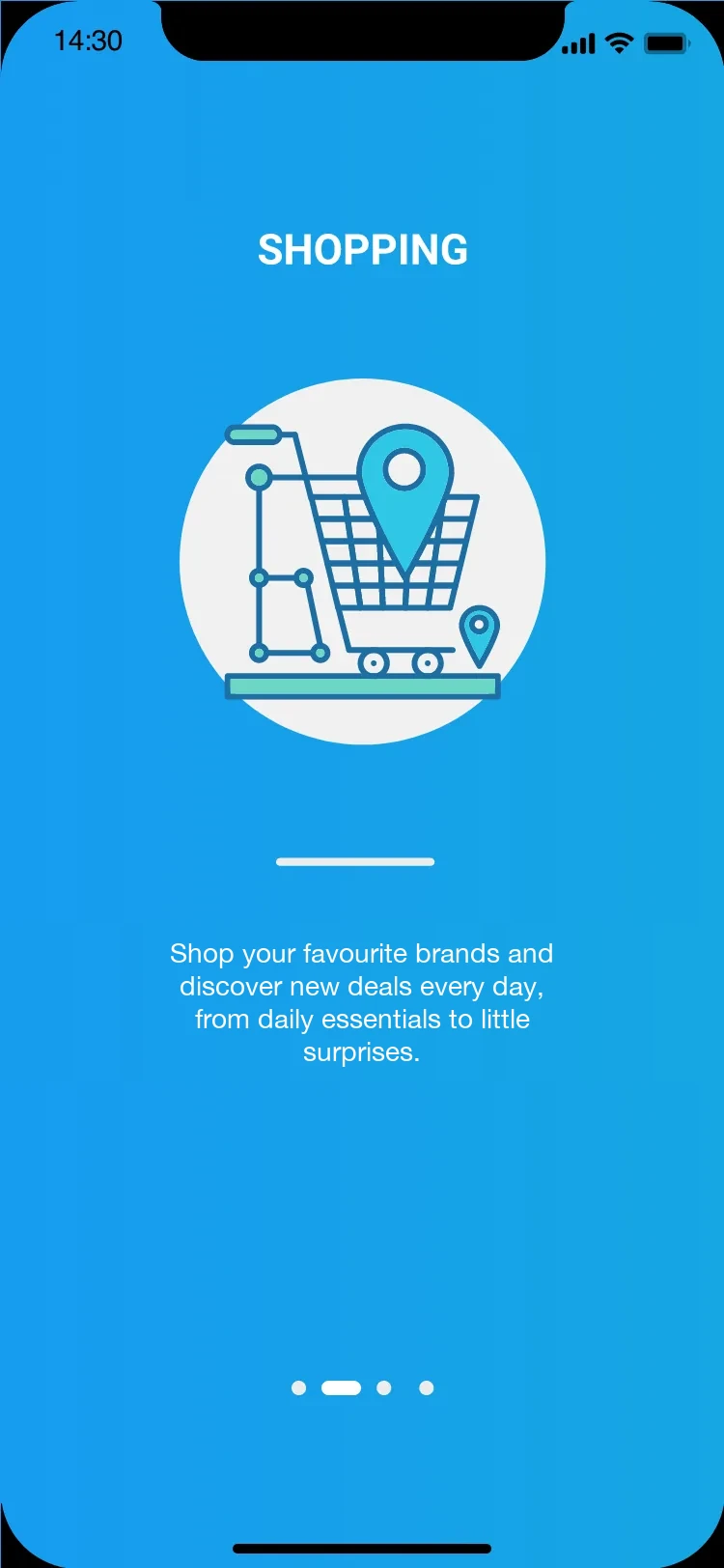
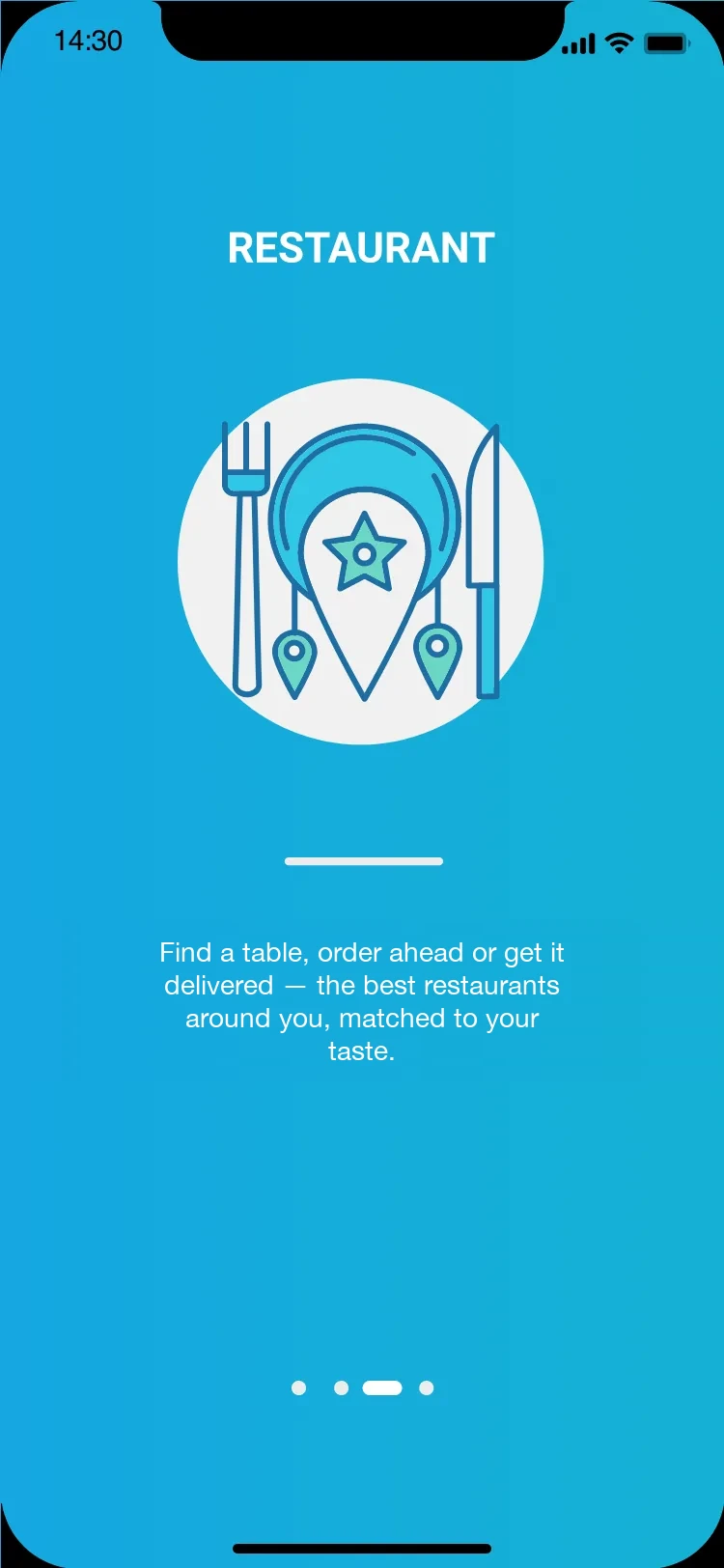
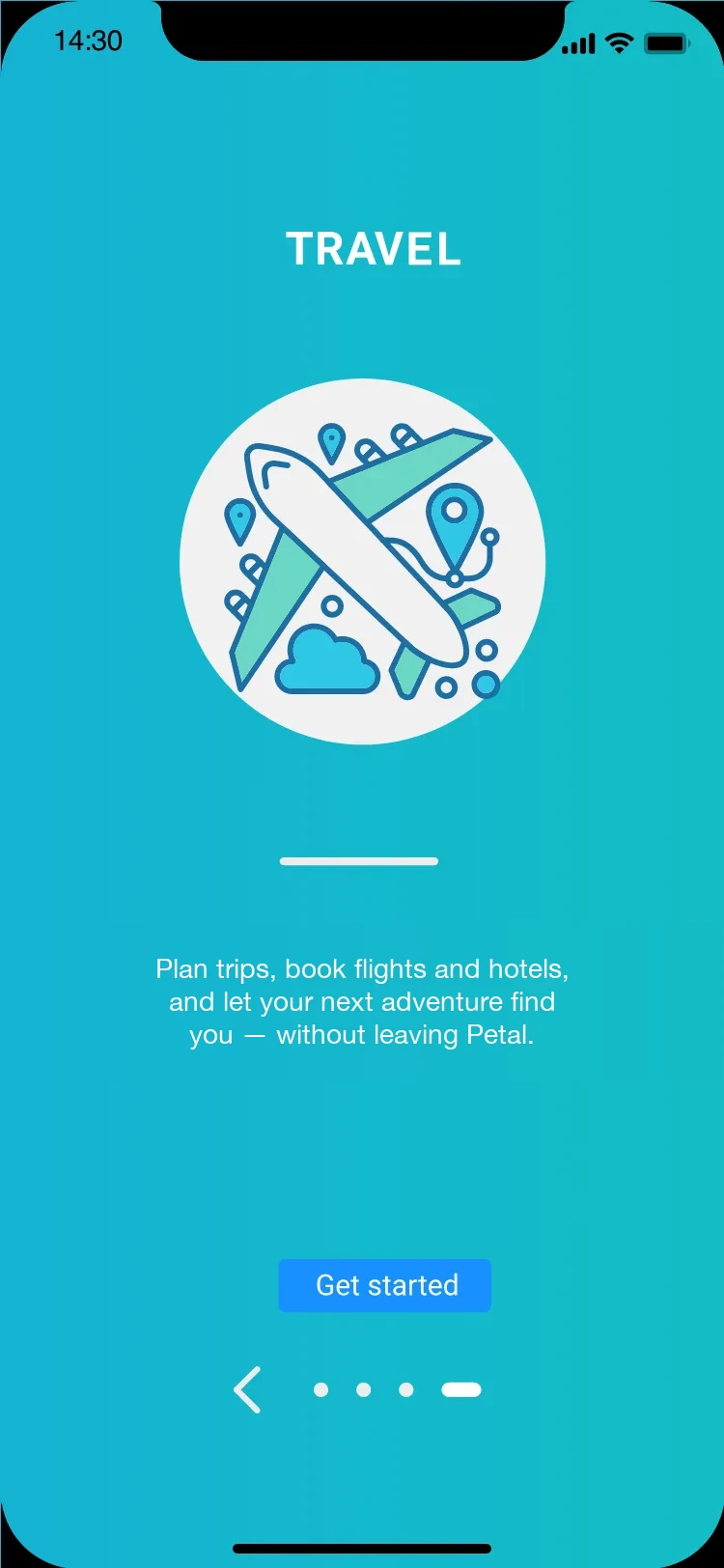
The splash leads with the mark and the claim — Feed your curiosity. Four category slides (News, Shopping, Restaurant, Travel) then reuse one strict layout: a flat illustration in a white circle, a single paragraph, progress dots. The swipe rhythm never changes, so the pitch lands in seconds.开屏只放标志与主张——Feed your curiosity。随后四页板块引导(资讯、购物、餐厅、旅行)复用同一套严格版式:白色圆形中的扁平插画、一段文字、进度圆点。滑动节奏恒定不变,几秒钟就讲完卖点。

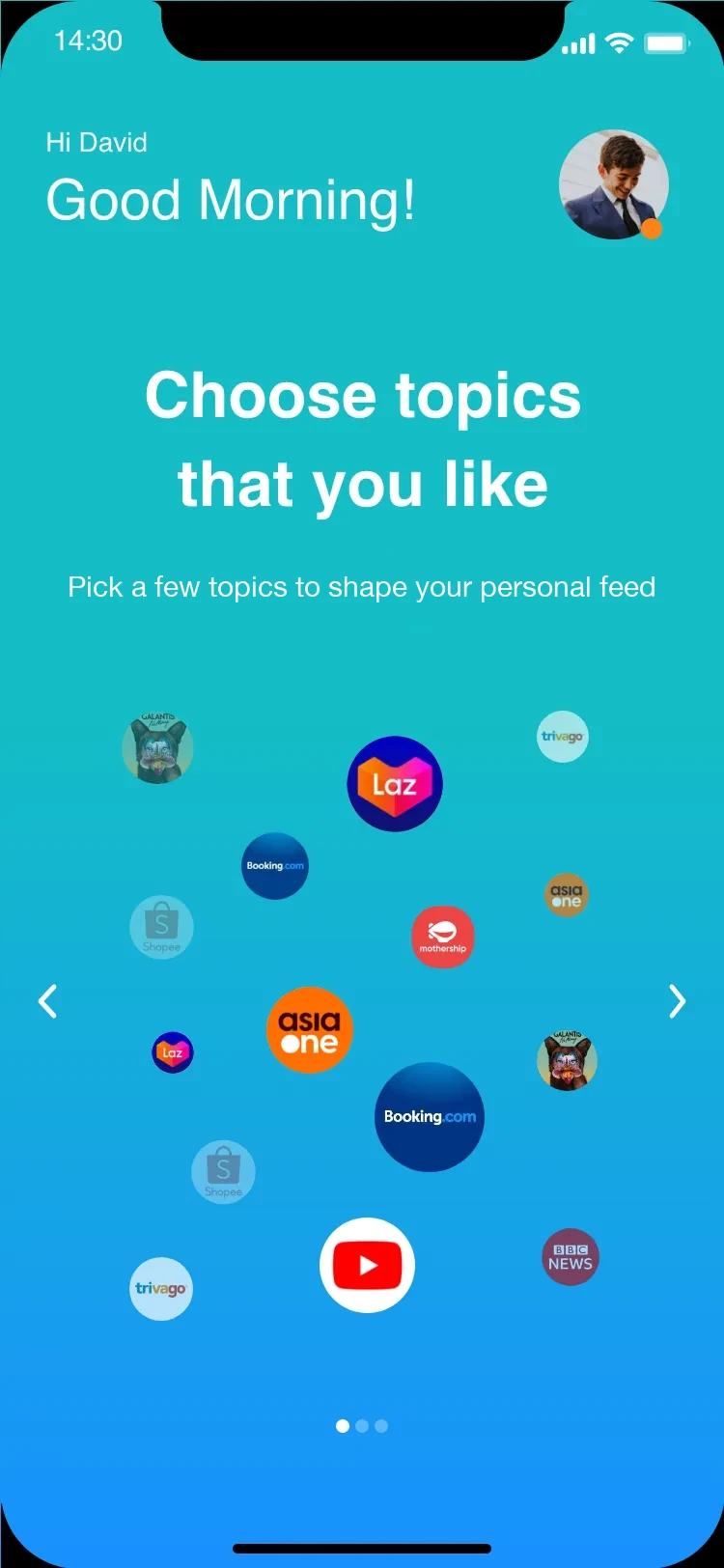
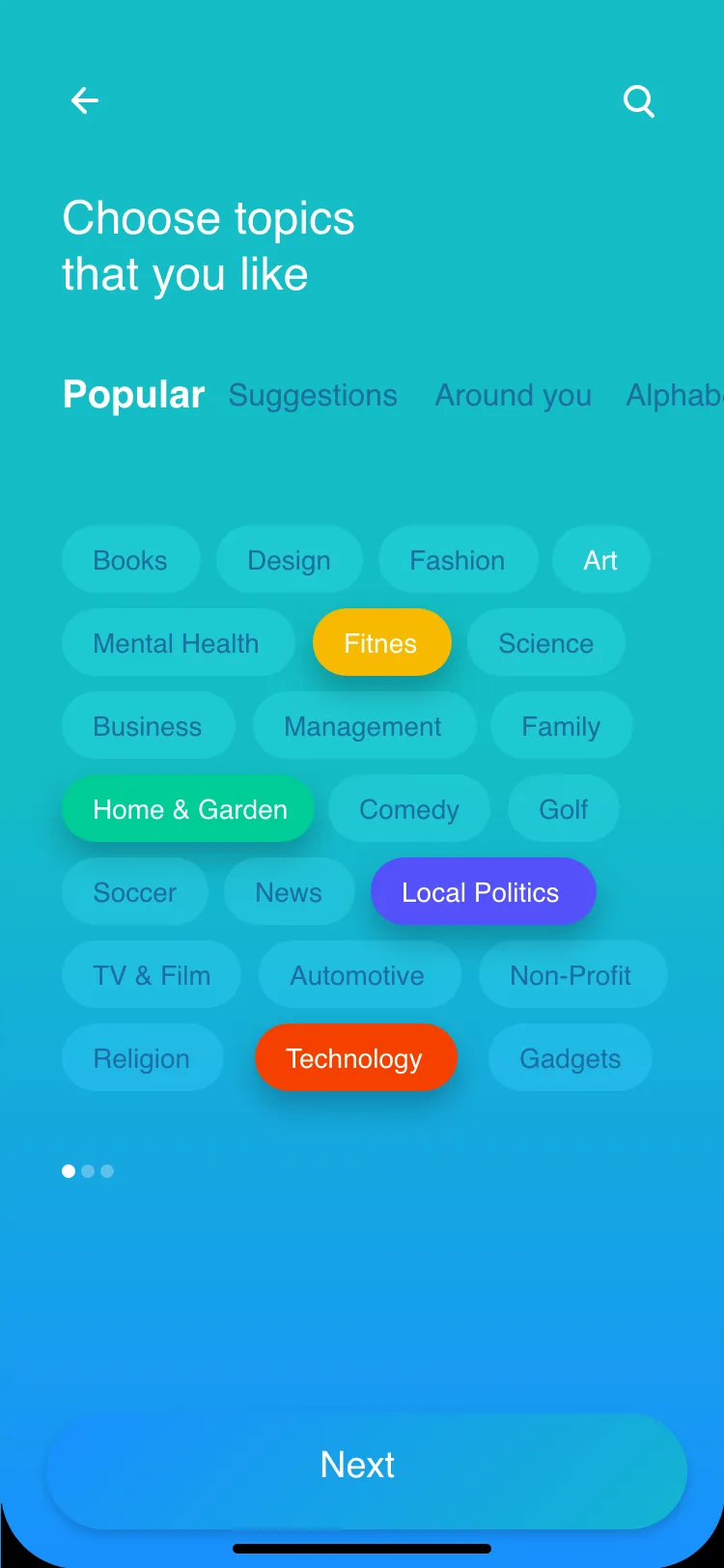
Then Petal asks, not pushes: an interest picker floats real publishers and topics as tappable bubbles over the brand gradient — every selection weights the feed, so the first home a user ever sees is already their own.随后 Petal 选择"问"而不是"推":兴趣选择页把真实媒体与主题做成品牌渐变上的漂浮气泡——每一次点选都为信息流加权,用户见到的第一个首页就已经是自己的。

Splash · Walkthrough · Personalise启动 · 引导 · 个性化07
Splash
SplashThe product in three words; the gradient Q mark carries the brand everywhere.三个词说清产品;渐变 Q 标记贯穿每一屏。
News onboarding
Walkthrough · NewsFriendly line illustration, one per world — a soft introduction.每个世界一张轻盈线性插画,低压力介绍。
Shopping onboarding
Walkthrough · ShoppingProgress dots keep the four-step arc legible without a wall of text.进度圆点让四步节奏一目了然。
Restaurant onboarding
Walkthrough · RestaurantThe colour warms step by step, so onboarding feels like moving forward.底色逐步转暖,引导像在前进。
Travel onboarding
Walkthrough · TravelThe last step swaps the dot for one clear primary action.最后一步把圆点换成明确的主操作。
Follow brands
FollowA floating cloud of publishers — tap to follow. Motion makes a settings step playful.漂浮的媒体气泡,点一下即关注;动效让"设置"变有趣。
Pick topics
TopicsColour-coded chips across Popular / Suggestions / Around you.按 Popular / Suggestions / Around you 分区的彩色话题标签。
Home首页

Calm, while doing a lot.很克制,却承载很多。

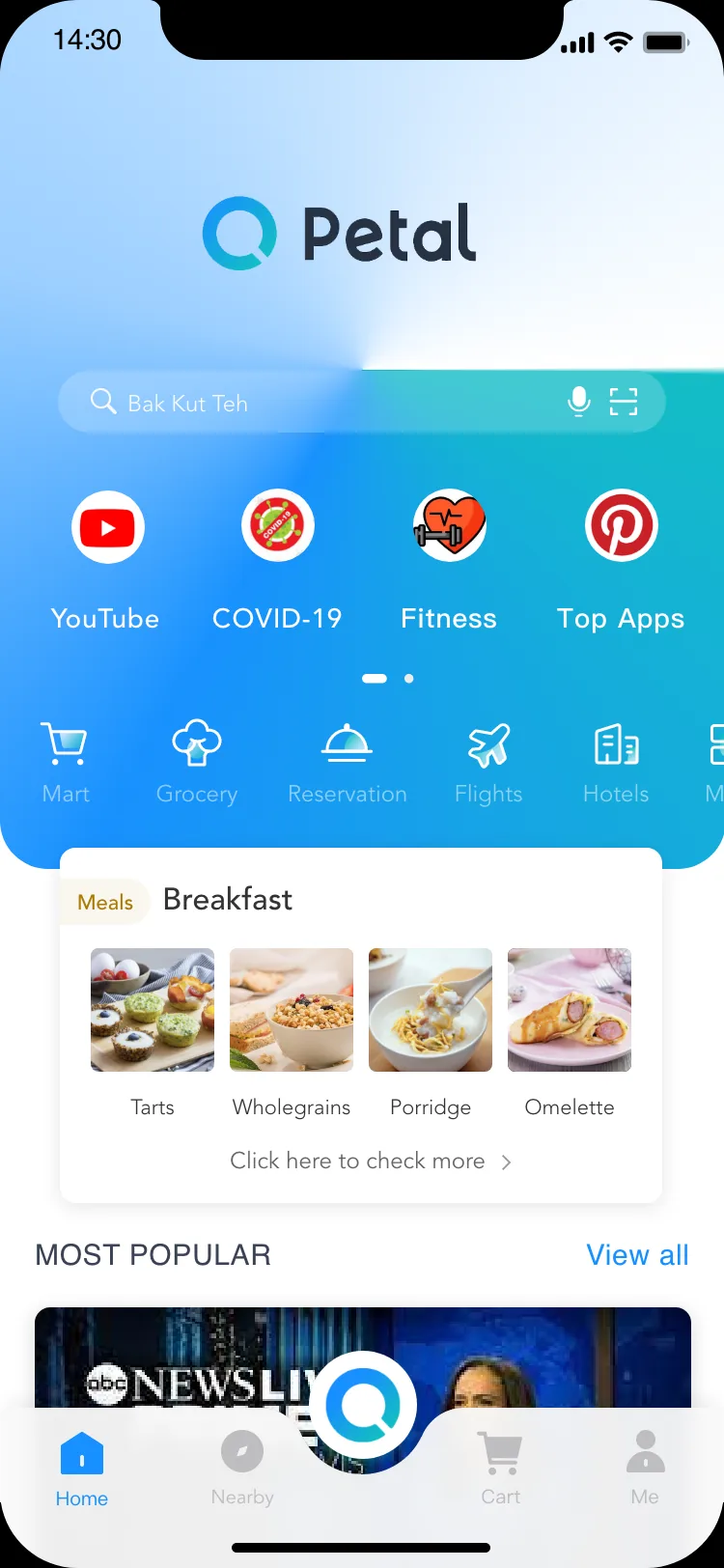
A super-app home has to stay calm while carrying everything. It assembles itself around what you picked: one search bar with voice and scan on top, a swipeable rail of mini-apps, a service grid — Mart, Grocery, Reservation, Flights, Hotels — meal cards that follow the time of day, and a Most Popular stream below. Search is the front door; everything else is a shortcut.超级 App 的首页必须在承载一切的同时保持克制。它围绕你的选择自行组装:顶部一条带语音与扫一扫的搜索栏、一列可滑动的小程序、服务宫格——超市、生鲜、订座、机票、酒店——跟随时段变化的餐食卡片,下方是最热内容流。搜索是正门,其余都是捷径。

Home · launchpad首页 · 发射台01
Petal home screen
HomeOne search (voice + scan), a paged mini-app rail, a thumbable service grid, then content modules.一处搜索(语音+扫码)、分页小程序栏、可翻页服务九宫格,再接内容模块。
News资讯

A feed that reads like a morning paper.一条读起来像晨报的信息流。

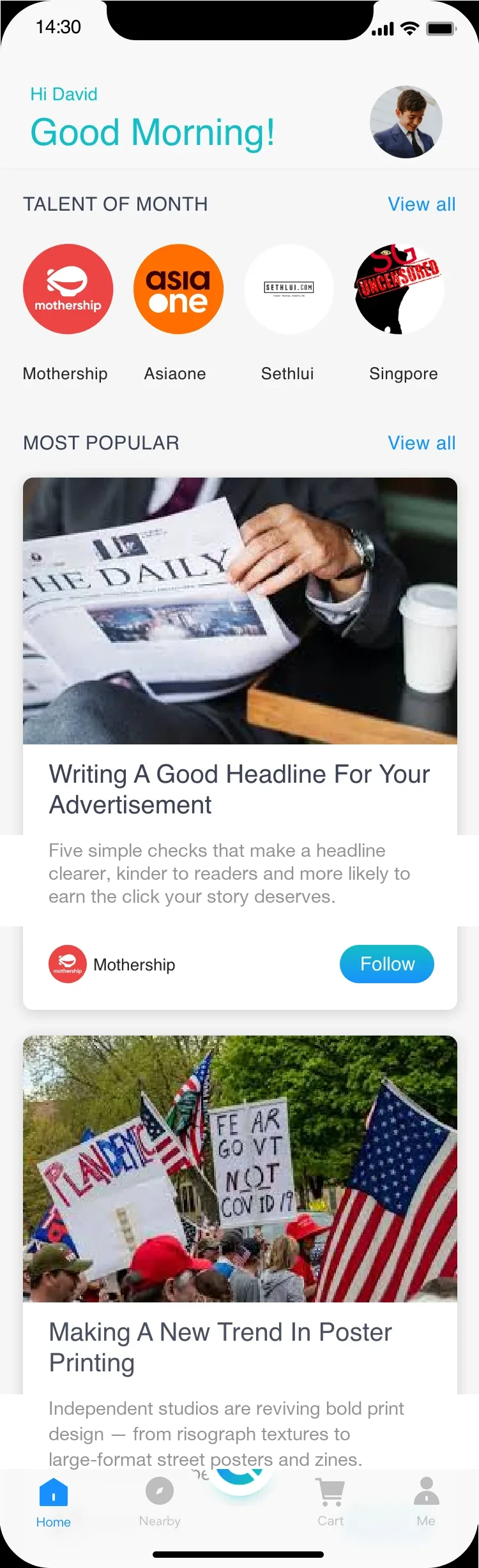
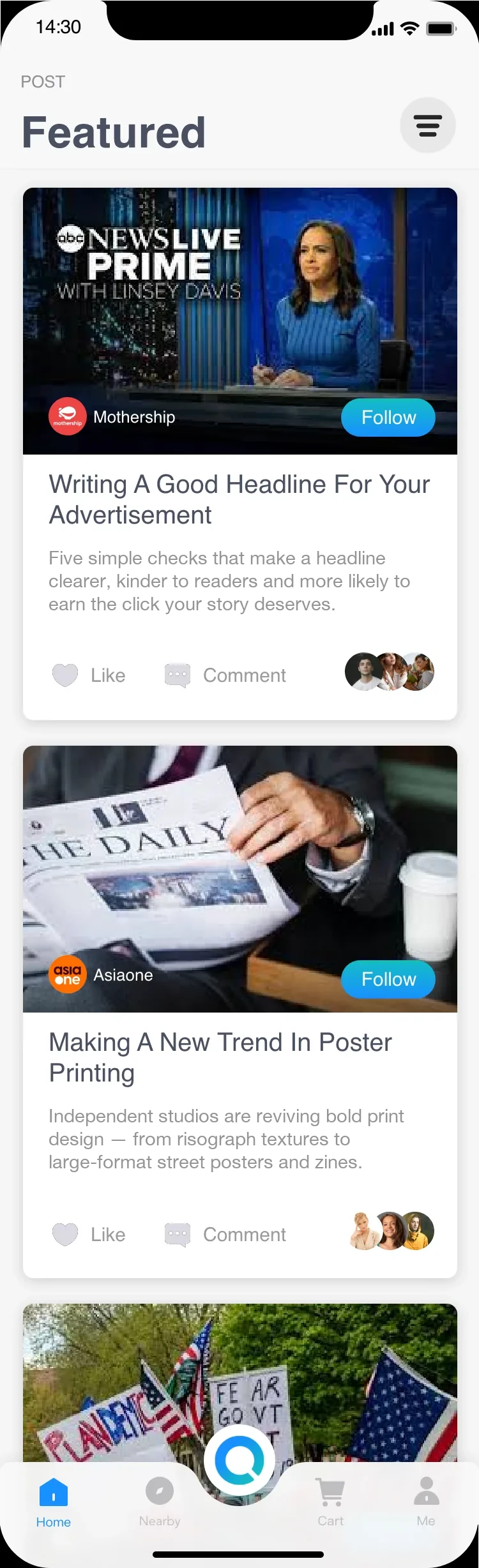
The feed is publisher-first: a Talent-of-Month shelf surfaces local media brands — Mothership, AsiaOne, SethLui — and every story card pairs a full-bleed image with headline, excerpt and a Follow action. A Featured view adds the social layer: like, comment, and reader avatars that make the feed feel inhabited.信息流以媒体号优先:本月精选货架陈列本地媒体品牌——Mothership、AsiaOne、SethLui——每张卡片都以通栏图配标题、摘要与关注按钮。精选视图叠加社交层:点赞、评论、读者头像,让信息流有人气。

Feed · Article · Social · Topic信息流 · 文章 · 社交 · 话题04
News feed
FeedA warm greeting, a publisher row, then Most Popular. Following is one tap on every card.温暖问候、媒体行、再接最热;每张卡片关注只需一下。
Article detail
ArticleA hashtag badge over a full-bleed hero, and a Top Stories rail to keep you reading.通栏主图压 #话题标签,下方 Top stories 接力阅读。
Featured post feed
SocialThe same stories restyled as follow-able posts, with reader avatars for social proof.同样内容换成可关注的帖子,配读者头像做社交佐证。
Topic feed
TopicA saturated colour ground — a distinct rhythm from the white cards, without breaking the system.饱和色底,和白卡拉开节奏,又不破坏体系。
🛒 Food & Dining美食

From craving to cart in three screens.从想吃到下单,三屏完成。

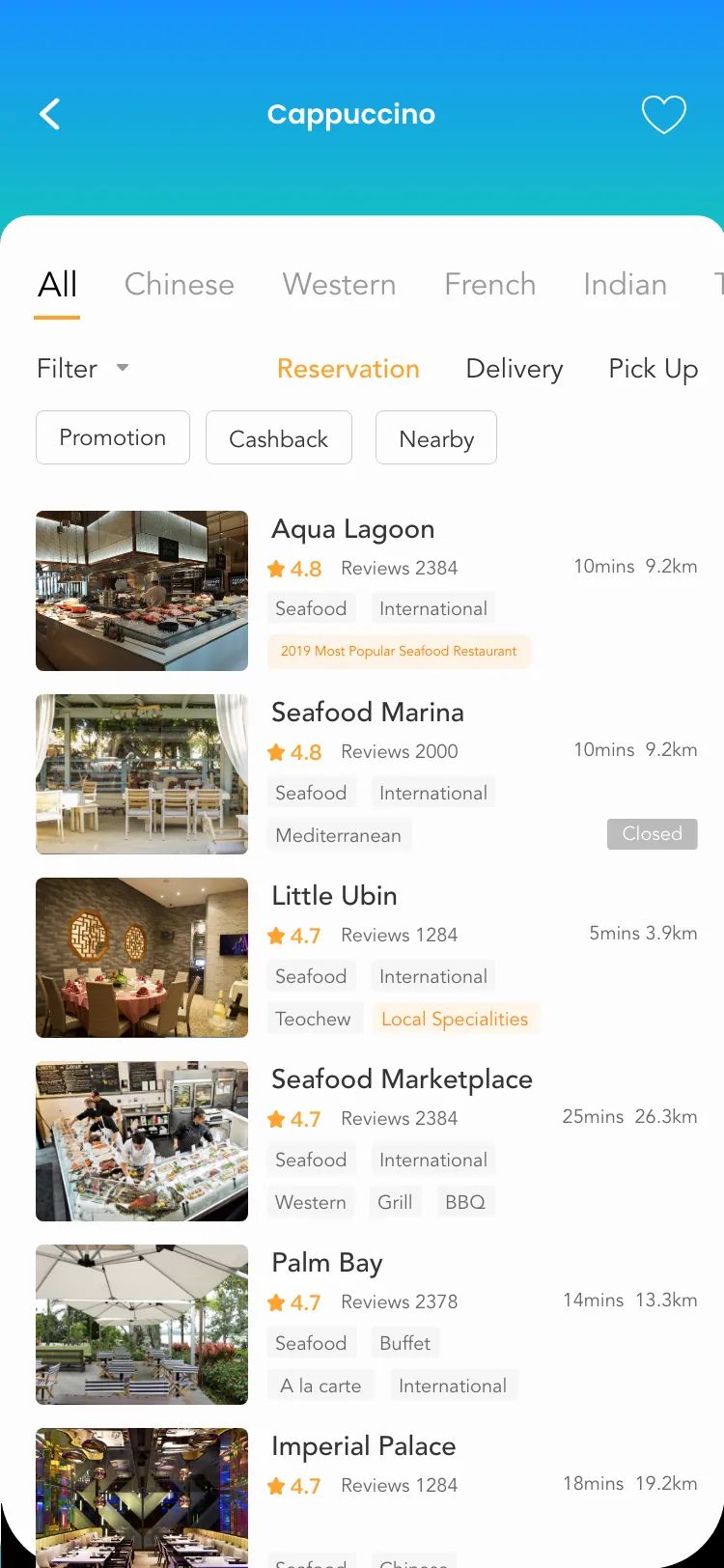
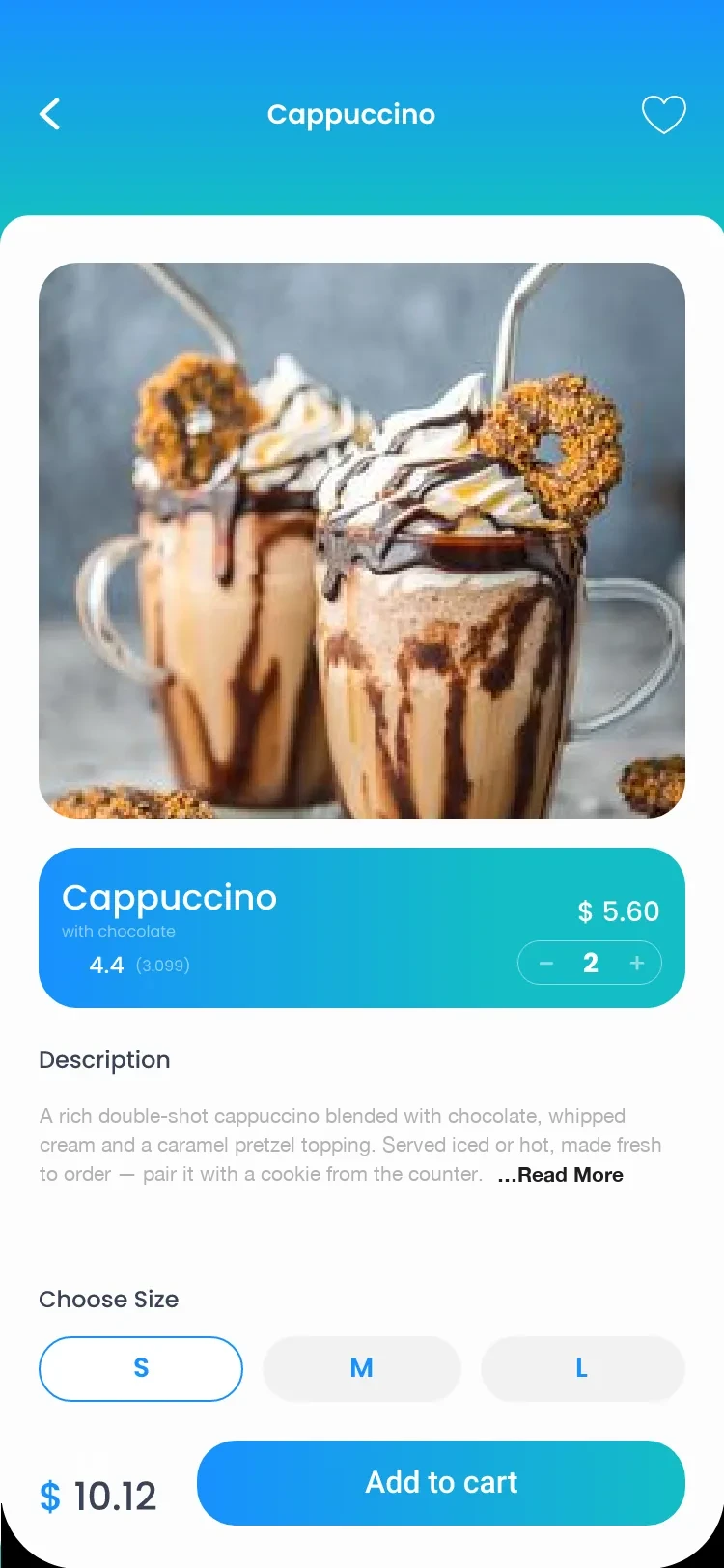
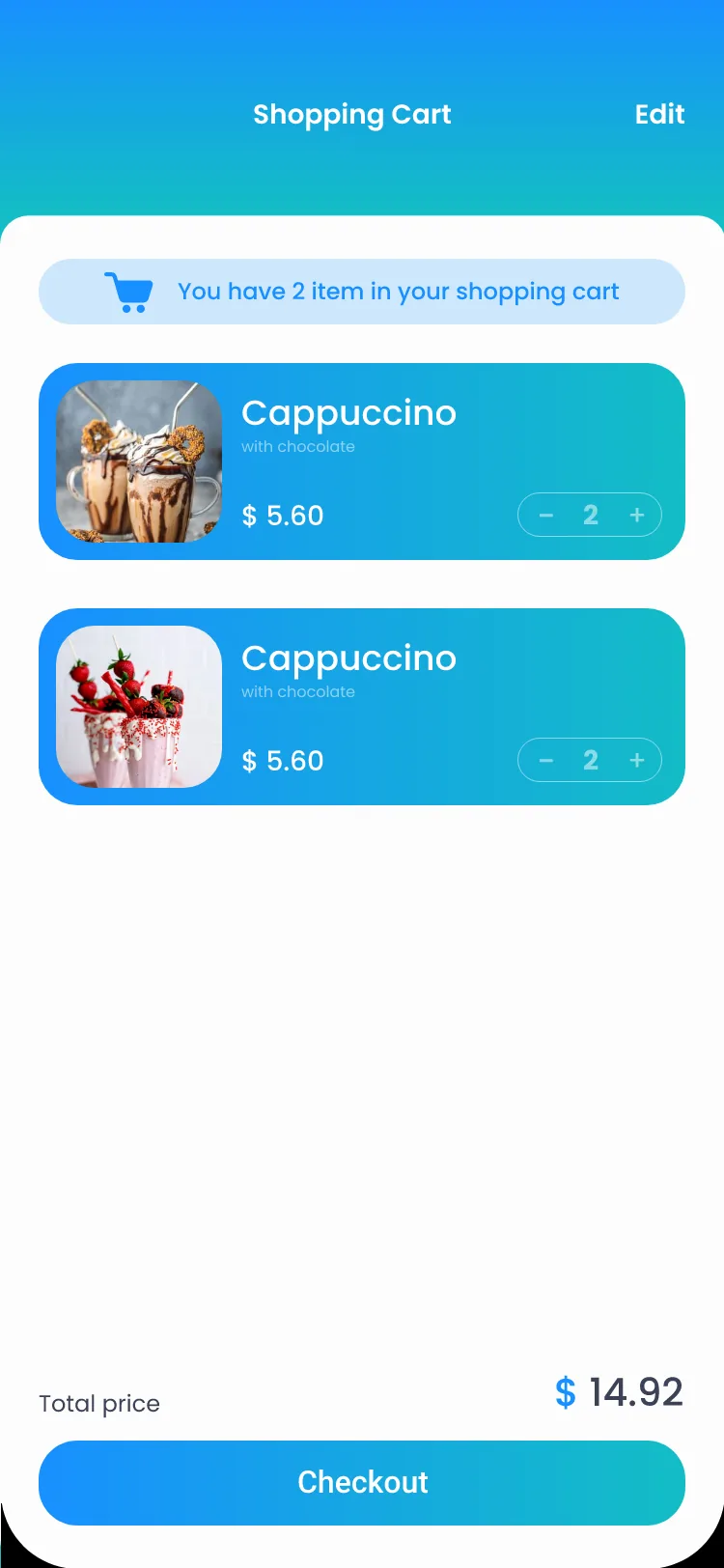
The restaurant list absorbs heavy filtering — cuisine tabs, Reservation / Delivery / Pick-Up modes, promotion chips — while distance and wait time stay readable at a glance. The item page keeps one decision per zone: photo, price and quantity on the gradient band, description, size, then a fixed add-to-cart bar. The cart stays editable all the way to checkout.餐厅列表消化了繁重的筛选——菜系页签、订座/外送/自取切换、促销标签——距离与等位时间一眼可读。单品页每个区块只放一个决策:图片、渐变条上的价格与数量、描述、规格,底部固定加购栏。购物车到结账前都保持可编辑。

Discover · Order · Cart发现 · 下单 · 购物车03
Restaurant discovery
DiscoverCuisine tabs, a Reservation / Delivery / Pick-Up switch, and rich rows — rating, distance, tags, status badges.菜系 Tab、预订/外送/自取切换、信息行——评分、距离、标签、状态徽标。
Product detail
OrderA big photo, a gradient price band with a stepper, size S/M/L, and a sticky Add-to-cart with running total.大图、渐变价格条内嵌步进器、S/M/L 尺寸,吸底"加入购物车"带实时合计。
Shopping cart
CartEditable to the end — a stepper on every row, a running total, one gradient Checkout.到最后都可编辑——每行步进器、实时合计、一条渐变 Checkout。
Travel旅行

Plan, dream, book — without leaving Petal.计划、种草、下单——不出 Petal。

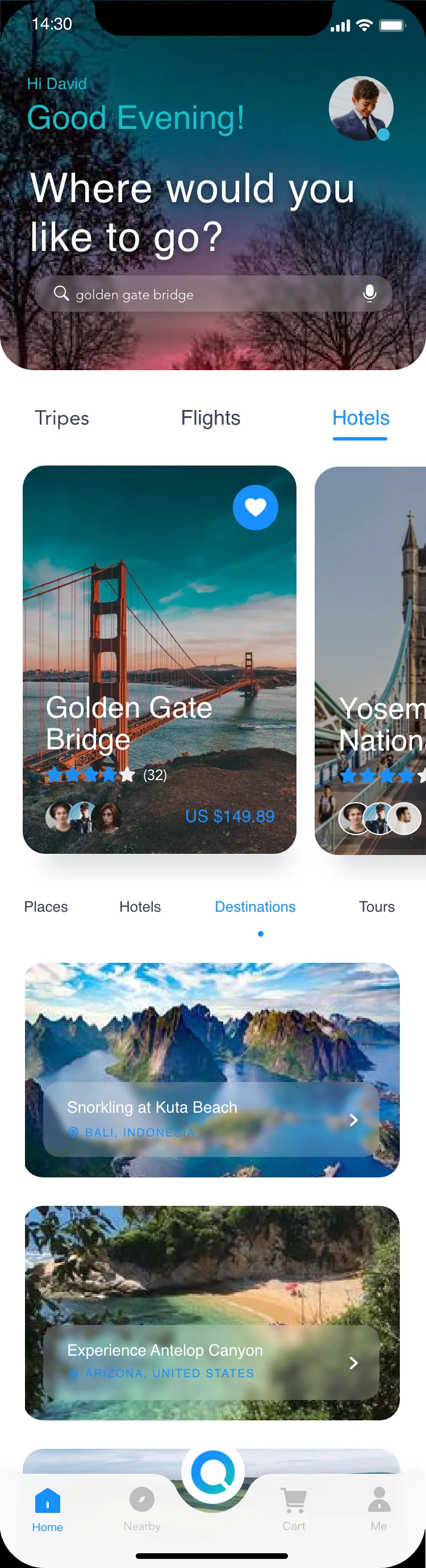
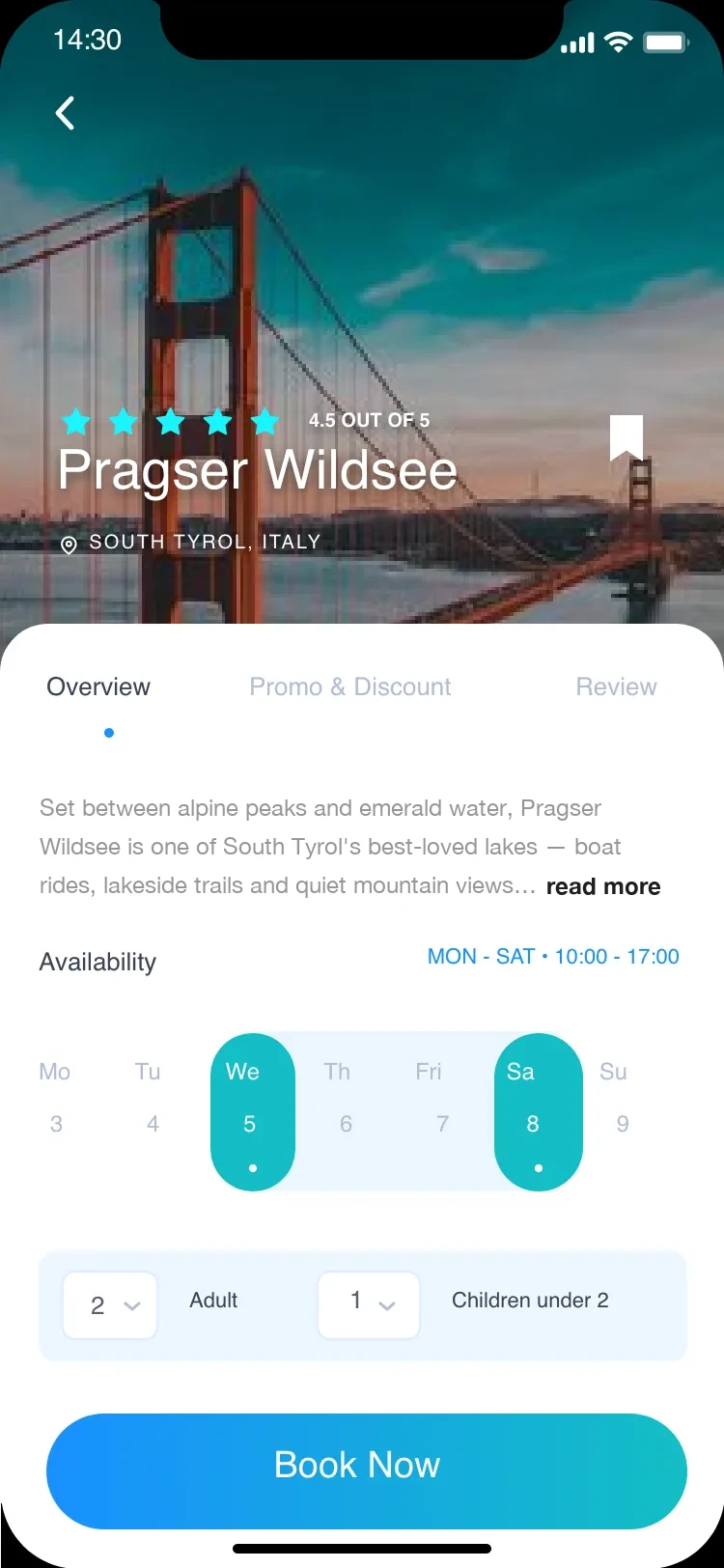
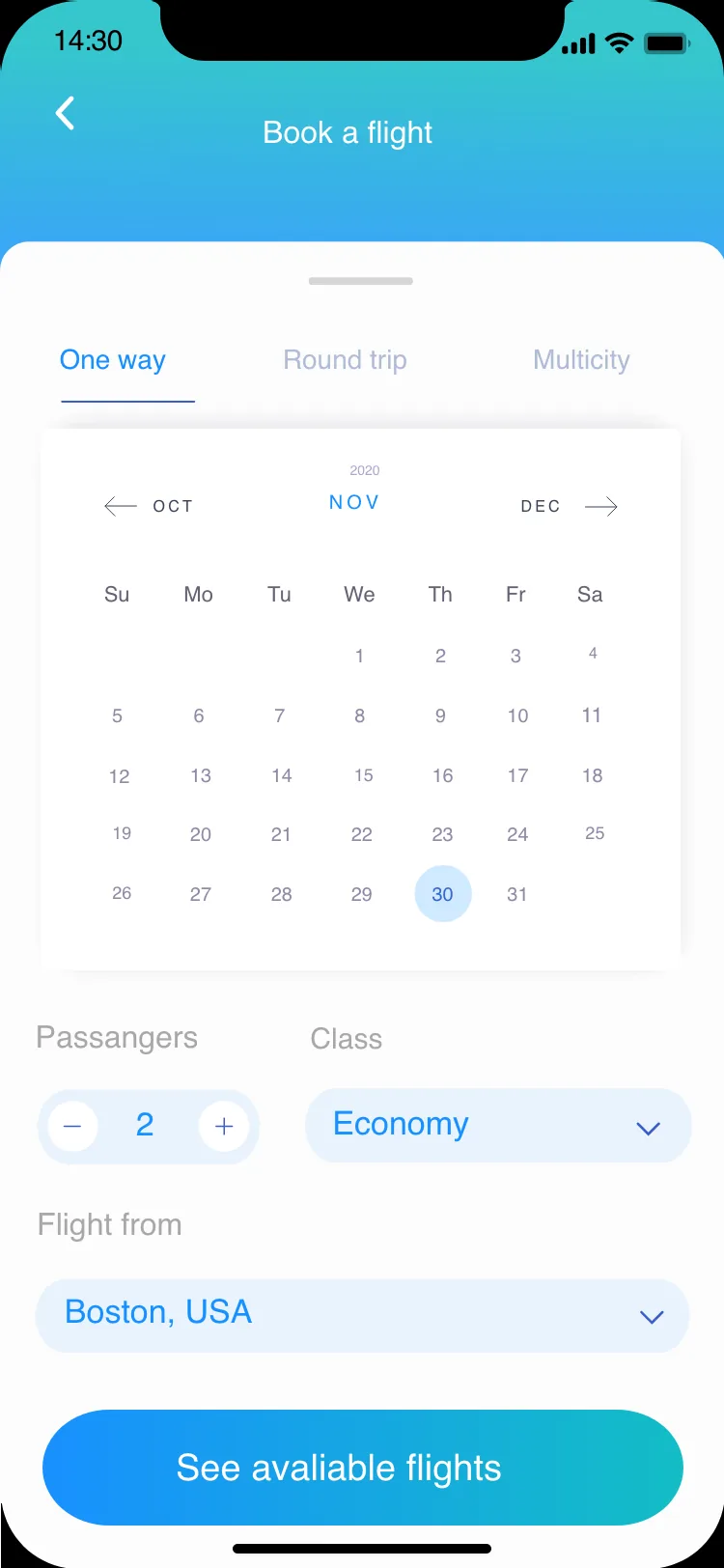
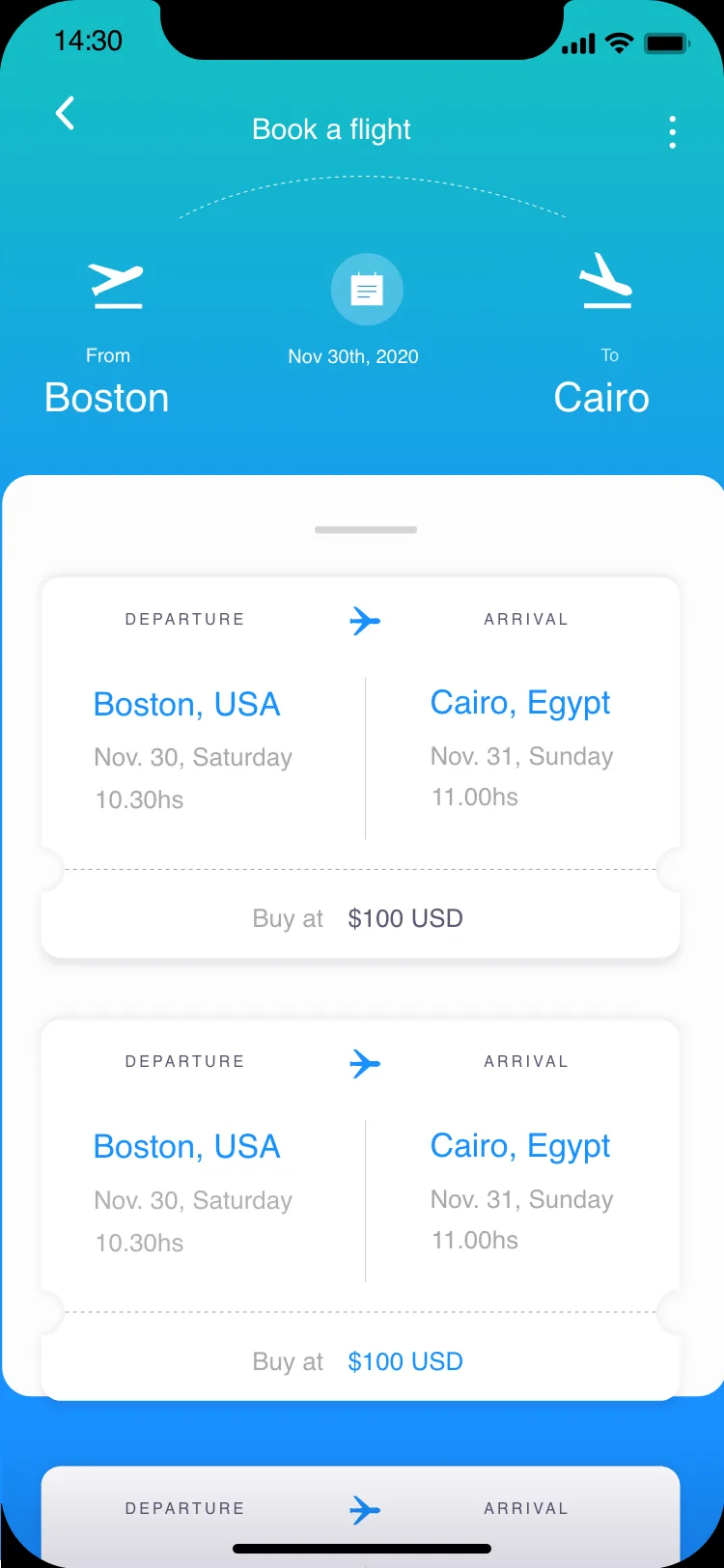
The travel hub greets by time of day — “Good Evening! Where would you like to go?” — and splits into Trips, Flights and Hotels. Destination stories sell the dream full-bleed; the booking sheet keeps rating, availability calendar and party size on a single card; flight search is a two-step calendar-to-results flow. Every price appears on the same card grammar as the rest of the app.旅行主页按时段问候——“Good Evening! 想去哪里?”——并分为行程、机票、酒店三条路径。目的地故事页通栏卖梦想;预订面板把评分、可订日历、出行人数收进一张卡片;订机票是日历到结果的两步流。每个价格都落在与全 App 一致的卡片语法上。

Home · Search · Story · Booking · Flights首页 · 搜索 · 故事 · 预订 · 机票06
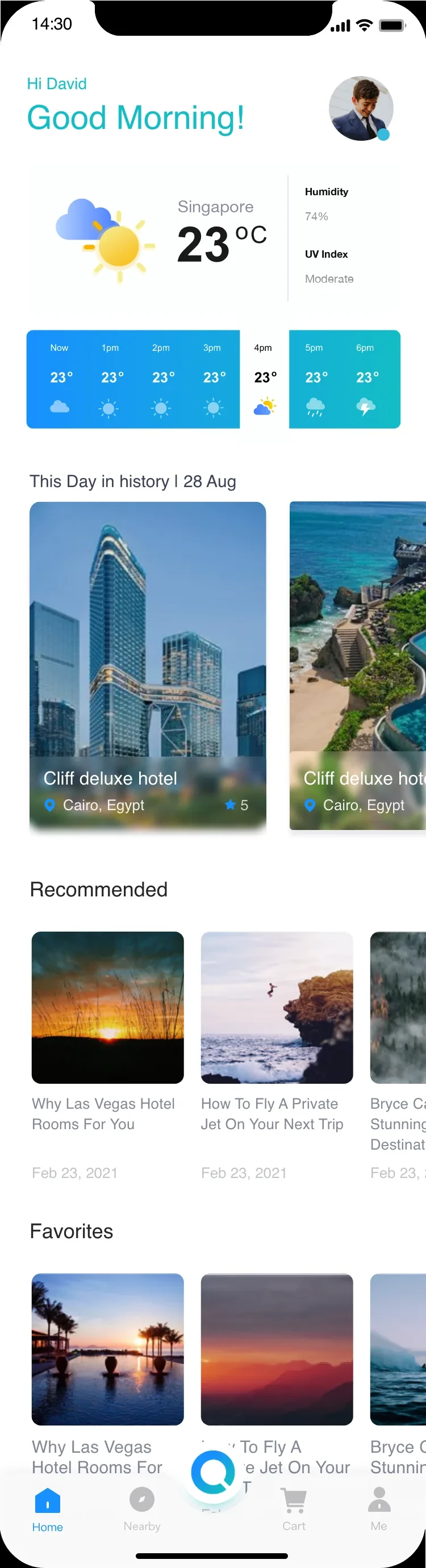
Travel home
HomeWeather + hourly strip, "This Day in History", Recommended — travel as a daily habit.天气+逐时条、"历史上的今天"、推荐——把旅行做成日常习惯。
Travel search
SearchTrips / Flights / Hotels tabs, a hero destination card, then editorial banners.Trips/Flights/Hotels 切换、目的地大卡,再接编辑式横幅。
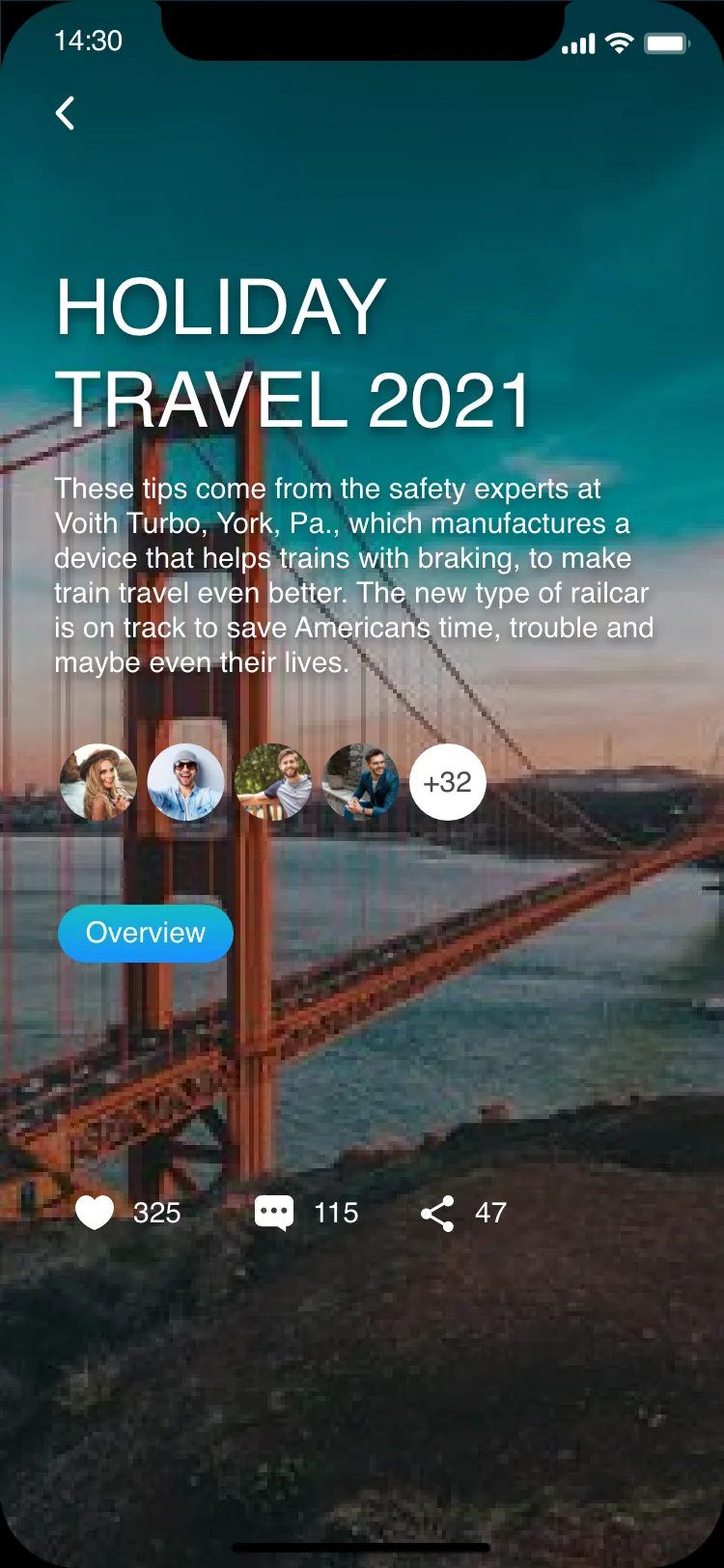
Holiday detail
StoryA dark full-bleed hero, participant avatars, like / comment / share.深色通栏主图、参与者头像、点赞/评论/分享。
Booking detail
Book · PlaceRating, Overview / Promo / Review tabs, an availability calendar, gradient Book Now.评分、Overview/Promo/Review、可订日历、渐变 Book Now。
Flight booking
Book · FlightOne way / Round / Multicity, a clean month calendar — heavy input made light.单程/往返/多程、干净月历——把繁重输入变轻。
Flight results
ResultsResults styled as physical tickets — notched edge, a clear "Buy at" price.结果做成实体机票——票根缺口、明确"Buy at"价格。
The System系统

What makes it one app.凭什么是一个 App。

Four worlds could easily feel like four apps in a trench coat. What holds Petal together is a small, strict set of shared decisions — one navigation, one search pattern, one gradient, and personalization underneath it all. Consistency is the feature you don't notice — until it's missing.四个世界,很容易变成"四个 App 套了件风衣"。让 Petal 成为整体的,是一小套严格的共享决策——一套导航、一种搜索模式、一条渐变,以及贯穿始终的个性化。一致性是你察觉不到的功能——直到它缺席。

One navigation同一套导航

Home · Nearby · Search · Cart · Me, on every screen — with a floating Q that always returns you to universal search.Home · Nearby · 搜索 · Cart · Me,每屏一致——悬浮 Q 永远把你带回通用搜索。

5-tab bar

One search同一种搜索

Voice and scan, reachable from the floating Q anywhere in the app.语音与扫一扫,App 内处处可从悬浮 Q 触达。

Voice · Scan

One personalization core同一个个性化内核

The topics you pick at onboarding shape all four worlds — and the blue→teal gradient marks every primary action.你在引导时勾选的话题塑造全部四个世界——蓝→青渐变标记每一个主操作。

Blue → Teal
Shared bottom navigation共享吸底导航
Petal bottom navigation — Home · Nearby · Search · Cart · Me
The Takeaway总结
The app you open out of curiosity, and stay in out of habit.好奇打开,因习惯停留的 App。
Petal folds four everyday errands into one daily ritual. Personalize once, and reading, eating, dining and travelling all live behind a single search and a single feed — held together by one navigation, one gradient and one crown of curiosity that runs through everything.Petal 把四件日常琐事拧成一个每日仪式。个性化一次,看资讯、点外卖、找餐厅、订旅行就都藏在同一个搜索、同一条信息流之后——由同一套导航、同一条渐变,和贯穿始终的好奇心串在一起。
More UI/UX projects更多 UI/UX 项目
TAVELLA
TAVELLAUI/UX
SplitKaki
SplitKakiUI/UX
VV Work
VV WorkUI/UX
VV Life
VV LifeUI/UX
FoodSpace
FoodSpaceUI/UX